
Losing your phone can feel like a nightmare, but with Find My Phone Samsung, you can quickly track, lock, and recover your lost device. Whether you misplaced it at home or it was stolen, Samsung offers powerful tools to help you stay in control and protect your data.
Table of Contents
What Is Find My Phone Samsung?
Find My Phone is Samsung’s official service that allows you to remotely manage your lost or stolen phone. From locating your device to locking it or even erasing sensitive information, this tool ensures you never feel helpless when your phone goes missing.
People also search for: Find My Phone Samsung free, Find My Phone Samsung Google, Find My Phone Samsung with IMEI.
How Does Samsung’s Find My Mobile Work?
Samsung’s Find My Mobile works by using GPS, Wi-Fi, and mobile network data to track your device. You can log in to findmymobile.samsung.com from any device, select your phone, and use features like Ring, Lock, or Erase.
Steps to Enable Find My Mobile on Samsung Devices
To make sure your Samsung phone is protected, set up Find My Mobile in advance:
1. Check Samsung Account Login
- Go to Settings > Accounts and Backup > Samsung Account
- Ensure you’re signed in with your Samsung account.
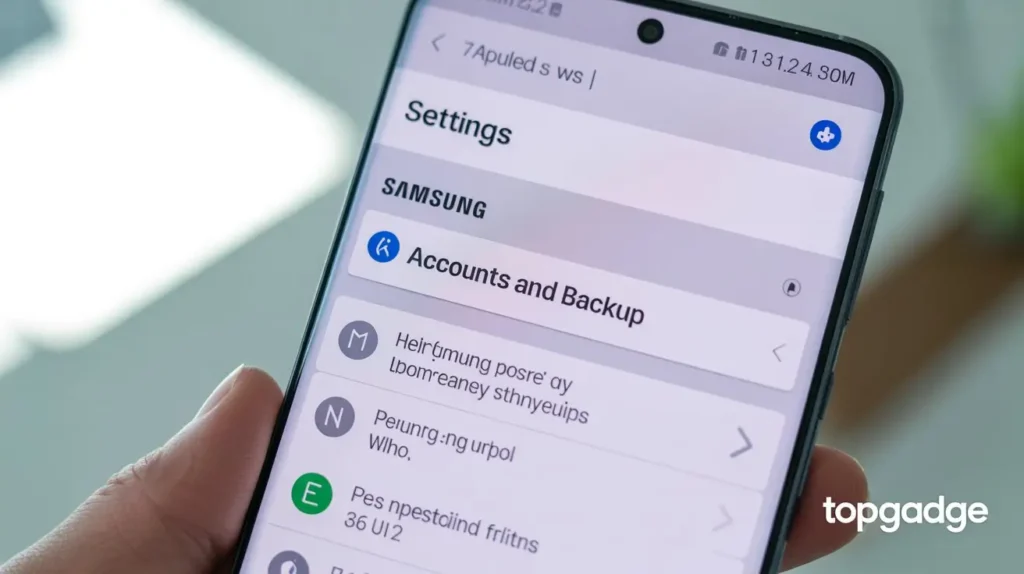
2. Enable Remote Controls
- Go to Settings > Biometrics & Security > Find My Mobile
- Toggle Remote Unlock and Send Last Location ON.
3. Activate Google Location Services
- Navigate to Settings > Location > Google Location Accuracy
- Turn it ON for better tracking.
How to Locate Your Lost Samsung Phone
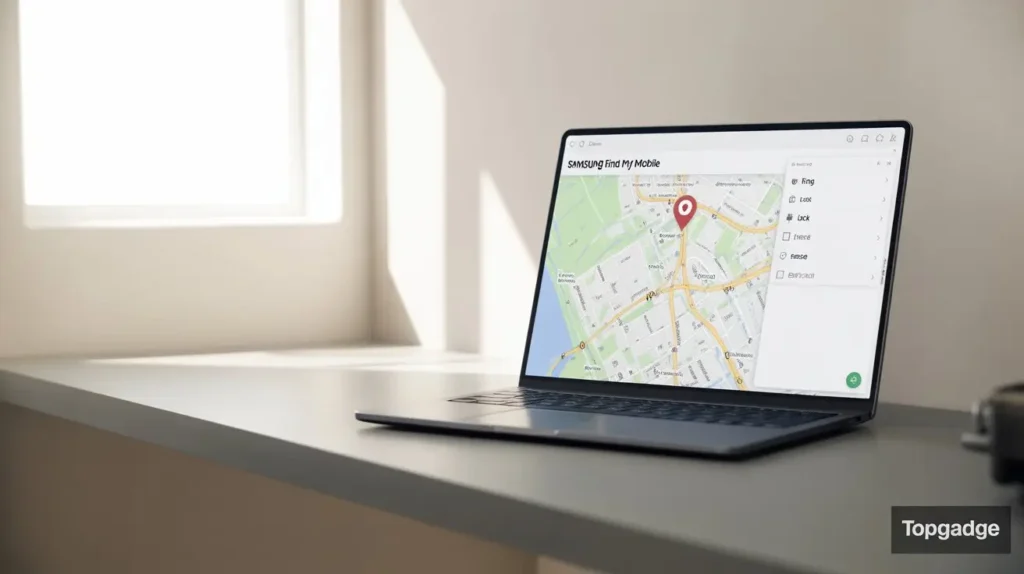
Using Samsung’s Find My Mobile Website
- Open Find My Mobile.
- Sign in with your Samsung account.
- Select your lost phone to view its location.
Using Google’s Find My Device
- Visit Google Find My Device.
- Sign in with your Google account.
- Select your Samsung device to track it.
People also search for: Find My phone Android, Find My Device Google.
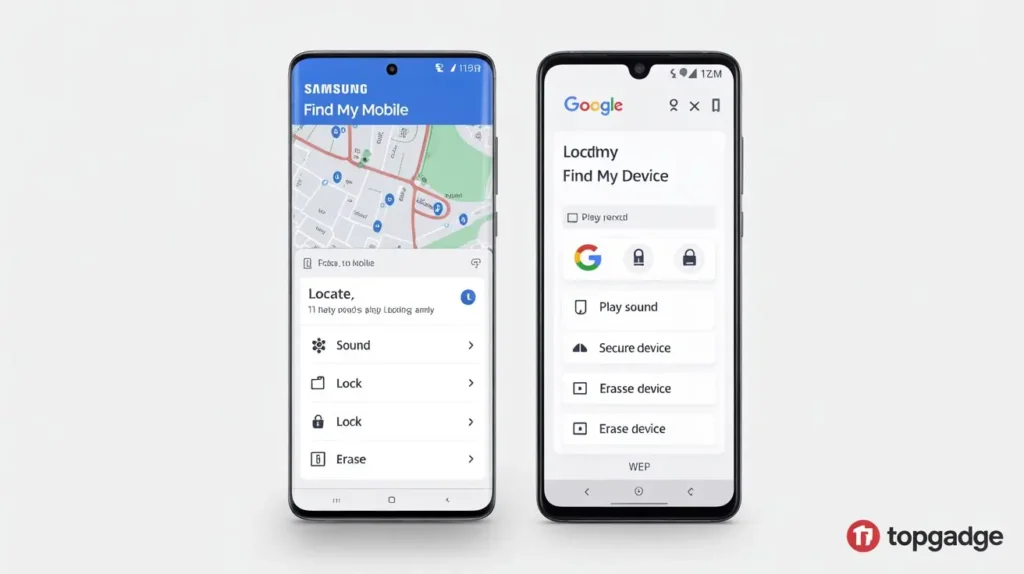
Samsung Find My Mobile vs Google Find My Device
| Feature | Samsung Find My Mobile | Google Find My Device |
|---|---|---|
| Platform | Samsung-only service | Works on all Android devices |
| Login Required | Samsung account | Google account |
| Locate Device | ✅ Yes | ✅ Yes |
| Ring Device | ✅ Yes | ✅ Yes |
| Lock Device Remotely | ✅ Yes | ✅ Yes |
| Erase Data | ✅ Yes | ✅ Yes |
| Retrieve Calls & Messages | ✅ Yes | ❌ No |
| Battery Life Extension | ✅ Send Last Location before battery dies | ❌ Not available |
| Unlock Device Remotely | ✅ Remote unlock supported | ❌ Not available |
| Accessibility | findmymobile.samsung.com | google.com/android/find |
👉 Samsung’s tool offers more features, while Google’s is universal and works across all Androids.
Remote Features of Find My Mobile
- Ring Your Device – Make your phone ring loudly, even on silent.
- Lock Your Phone Remotely – Secure your device with a PIN or password.
- Erase Data to Protect Privacy – Delete sensitive data remotely if stolen.
- Retrieve Call and Message Logs – Access your recent calls and messages.
How to Track Samsung Phones Using Google Services
Google Find My Device
Google’s tool helps you locate, lock, or erase your Samsung phone remotely.
Google Maps Location History
If location history is enabled, you can see your phone’s last known movement.
Tracking a Lost Samsung Device Without Find My Mobile
- Using Carrier Services – Most mobile carriers allow device tracking and blocking using the IMEI number.
- Contacting Local Authorities – Report the IMEI to the police for a better chance of recovery.
People also search for: findmymobile.samsung.com unlock, Samsung Find My phone offline.
Best Apps for Tracking a Lost Samsung Phone
| App | Key Features | Best For |
|---|---|---|
| Samsung Find My Mobile | Official app, remote unlock, logs | Samsung users |
| Google Find My Device | Works on all Androids, simple | Universal tracking |
| Life360 | Family location sharing, real-time alerts | Families |
| Prey Anti Theft | Multi-device tracking, theft protection | Power users |
| Where’s My Droid | SMS tracking, theft alerts | Basic phone tracking |
How to Protect Your Samsung Phone from Getting Lost
- Enable Secure Lock Features (PIN, password, biometric).
- Keep GPS and Wi-Fi On for accurate tracking.
- Use SmartThings Find to track Galaxy devices, watches, and earbuds.
Common Issues with Find My Mobile & Fixes
- Phone Not Showing Up? Check if it’s powered on and connected.
- Wrong Location Displayed? Turn on high-accuracy GPS.
- Find My Mobile Not Enabled? Always set it up before you lose your phone.
Frequently Asked Questions (FAQs)
Q1: How do I locate my phone from another device?
Log in to Find My Mobile or Google Find My Device from another phone or computer, sign in with your account, and select your lost device.
Q2: How do I find my Samsung phone with IMEI?
IMEI cannot be used directly on Find My Mobile, but your carrier or police can track or block the device using IMEI.
Q3: How to track a stolen Samsung phone?
Use Samsung Find My Mobile or Google Find My Device. If stolen, erase your data remotely and report the IMEI to authorities.
Q4: Where is my Samsung device?
Check its live location by logging into Find My Mobile or Google Find My Device.
Q5: Can I track my Samsung phone if it’s turned off?
No, but you can see its last known location before it powered down.
Q6: Does Find My Mobile work internationally?
Yes, it works anywhere as long as your phone has an internet connection.
Conclusion
Losing your phone doesn’t have to end in disaster. With Find My Phone Samsung, you can track, lock, or erase your device to keep your data safe. By enabling these features in advance and knowing how to use them, you’ll always be prepared if your phone goes missing.
Stay safe, stay prepared, and keep your Samsung secure.

Very nice post. I just stumbled upon your blog and wanted to say that I’ve really enjoyed browsing your blog posts. After all I抣l be subscribing to your feed and I hope you write again soon!
Awsome blog! I am loving it!! Will be back later to read some more. I am taking your feeds also.
Do you mind if I quote a couple of your posts as long
as I provide credit and sources back to your site?
My website is in the very same area of interest as yours and
my users would definitely benefit from some of the information you present here.
Please let me know if this ok with you. Thanks!
Thanks for your interest! You’re welcome to quote small parts of my content with proper credit and a backlink to my site. Please don’t copy full posts. Let me know which parts you’re planning to use.
Oh my goodness! Amazing article dude! Thank you, However I am having
issues with your RSS. I don’t know the reason why I cannot subscribe to it.
Is there anyone else getting similar RSS issues? Anybody who knows the
solution will you kindly respond? Thanx!!
Hello would you mind stating which blog platform you’re using?
I’m looking to start my own blog soon but I’m having a tough time making a decision between BlogEngine/Wordpress/B2evolution and Drupal.
The reason I ask is because your layout seems different then most blogs
and I’m looking for something unique.
P.S Apologies for being off-topic but I had to ask!
Thanks for your kind words about our layout! We use WordPress with a custom theme. It’s great for flexibility and has plenty of unique designs available. Good luck with your blog! 😊
I am truly grateful to the owner of this web site who has shared this fantastic article at
here.
Thank you for your heartfelt gratitude! We’re so glad you enjoyed the article. More fantastic content coming your way soon! 😊
Hi there, You have done an excellent job. I will definitely digg it and personally recommend to
my friends. I am confident they’ll be benefited from this
web site.
Thank you so much for your kind words and for recommending us to your friends! We’re thrilled that you find our content valuable enough to share. Welcome to our community! 😊
I do not know if it’s just me or if perhaps everybody else encountering issues
with your website. It appears like some of the written text in your posts are running off the screen.
Can someone else please provide feedback and let me know
if this is happening to them too? This could be a issue with my web browser because I’ve had this
happen before. Thank you
Thank you for bringing this to our attention! We’ll check the text formatting issue immediately. Could you please let us know which device and browser you’re using? This will help us fix it faster. We appreciate your help! 🛠️
I have read so many content about the blogger lovers however this post is really a pleasant article, keep it up.
Thank you for your wonderful feedback! We’re so glad you found our article pleasant and stand out from other content. We’ll definitely keep up the good work! 😊
First off I want to say terrific blog! I had a quick question which I’d like to ask if
you don’t mind. I was curious to find out how you center yourself and clear
your thoughts prior to writing. I’ve had difficulty clearing my thoughts in getting my thoughts out.
I truly do enjoy writing but it just seems like the first 10 to 15 minutes are
lost just trying to figure out how to begin. Any
suggestions or hints? Many thanks!
Thank you for the terrific feedback and your great question about the writing process! For centering and clearing thoughts, I recommend: 1) 5-minute meditation before writing, 2) Creating a rough outline first, 3) Setting a timer for 10 minutes and just writing without editing, 4) Starting with the easiest section first. The key is to just begin – perfection comes later! Happy writing! 😊✍️
It’s genuinely very difficult in this busy life to listen news on Television, therefore I just use
web for that reason, and get the most recent
information.
Same here! 📱💻 Web gives us the latest news instantly — no waiting for TV schedules. Glad you’re staying updated! 😊