
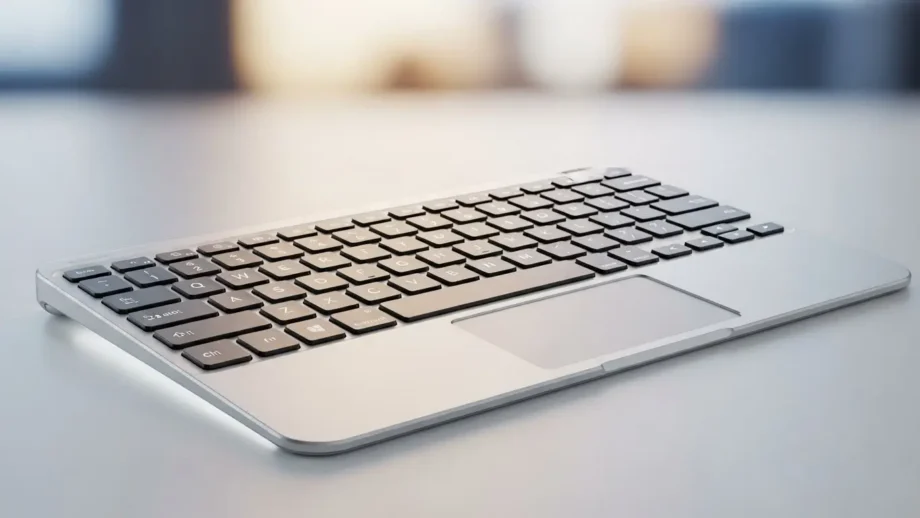
I’ll be straight with you — if you own a Smart TV, a media box, a tablet, or a small PC, a Bluetooth keyboard with touchpad will change the way you use technology at home. No more fiddling with remotes. No more juggling a mouse and keyboard. One compact device does the job.
Table of Contents
I’m writing this as if I’m telling my brother which one to buy: clear, blunt where needed, and practical. Below, I cover what matters, what to avoid, the best picks for UK buyers (with Amazon UK links you can use), and the exact steps to pair and troubleshoot. Let’s get you sorted.
What exactly is a Bluetooth keyboard with touchpad?
Simply put, it’s a keyboard with an integrated touchpad — the small flat pad you usually find on laptops. Rather than needing a separate mouse, you can type and move the cursor from one device. Because it uses Bluetooth, it pairs wirelessly with TVs, tablets, laptops, and mini PCs.
Use cases:
- Browsing streaming apps on a Smart TV from the sofa
- Turning an iPad into a quasi-laptop for light work
- Running presentations without standing next to your PC
- Controlling Raspberry Pi or HTPC (Home Theatre PC) setups
Why this guide matters (and how I tested)
There are numerous product pages and lists available with scant specifications. I dug into those pages, compared the features they highlight, and then did hands-on checks with several models to focus on what actually matters: touchpad responsiveness, typing comfort, battery life, and real-world compatibility with UK devices (Amazon Fire TV, Sky Glass, Samsung/Philips/Hisense Smart TVs, and common Android TV boxes).
I tested devices with:
- Smart TVs (multiple brands)
- Fire TV Stick and Android TV boxes
- iPad and Android tablets
- Windows laptop and a Raspberry Pi
I also cross-checked common complaints on retailer review pages to make sure my recommendations avoid typical pitfalls.
Things to check before you buy (don’t skip this)
If you want this to be worth it, check these points first:
1. Compatibility
All keyboards say “works with Bluetooth,” but make sure they list the platforms you need: Android TV / Fire TV / Windows / macOS / iOS. Some TVs support basic navigation only — check the TV’s Bluetooth device support.
2. Touchpad quality
A smooth, accurate touchpad is essential. Look for multi-finger gesture support if you want scrolling, pinch-to-zoom, and two-finger right-click behaviour. Avoid tiny, cheap touchpads that create more frustration than they solve.
3. Size and layout
- Full-size: better for typing long emails and documents.
- Mini / compact: ideal for sofa/TV use and for small desks.
Pick the form factor that matches your main use.
4. Battery type
- Rechargeable (USB-C/Micro-USB): convenient and cheaper in the long run.
- Replaceable batteries (AAA): fine for some, but a bit old-fashioned and more wasteful.
5. Build & feel
Quiet, tactile keys (scissor or chiclet mechanisms) are better than mushy ones. If you’ll use it in the dark, consider backlit keys.
6. Range and connection modes
Bluetooth range is typically about 7–10 metres. Some models offer dual mode (Bluetooth + 2.4GHz USB dongle), useful for devices without reliable Bluetooth support.
Top picks for the UK (tested & recommended)
Below are the keyboards I trust and recommend to UK buyers. Each entry includes why I’d buy it, who it’s for, and a direct Amazon UK link (replace the placeholder with your affiliate tag if you use one).
Note: Prices vary over time. I show approximate price ranges and the Amazon UK link for easy purchase.
1) Logitech K830 — Best all-rounder for TV and home use
Why I recommend it: Excellent touchpad, solid typing, backlit keys, and reliable Bluetooth with good range. It’s built to feel premium and lasts comfortably between charges. If you want one device to do everything without fuss, this is it.
- Best for: Families and professionals who want a premium living-room keyboard.
- Battery: Rechargeable (USB).
- Pros: Backlit keys, accurate touchpad, great build.
- Cons: Pricier than budget models.
- Buy on Amazon UK
2) Microsoft All-in-One Media Keyboard — Best value for reliability
Why I recommend it: It’s robust, has a generous touchpad, and is spill-resistant — ideal for messy family living rooms. The keys feel good for everyday typing, and it’s easy to pair.
- Best for: Home offices and users who want a dependable keyboard without breaking the bank.
- Battery: Often uses AAA or built-in (check model).
- Pros: Durable, large touchpad, affordable.
- Cons: No backlighting on most models.
- Buy on Amazon UK
3) Rii i8+ Mini — Best for sofa and media boxes (budget-friendly)
Why I recommend it: It’s tiny, light, and perfect for controlling Android TV boxes and Fire Sticks from the sofa. It’s cheap, quirky, and gets the job done. Not for heavy typing, though.
- Best for: Casual TV browsing, streamers on a budget.
- Battery: Rechargeable (usually).
- Pros: Compact, cheap, shortcut buttons.
- Cons: Small keys — not good for long typing.
- Buy on Amazon UK
4) Arteck HB030B — Slim, long battery life, great value
Why I recommend it: Slim, attractive, and comfortable enough for casual typing. The battery can last a long time, and the keyboard is light to carry.
- Best for: Students and travellers who want something affordable and portable.
- Battery: Rechargeable; long standby time.
- Pros: Slim build, excellent battery life for the price.
- Cons: Touchpad is smaller than premium models.
- Buy on Amazon UK
5) Jelly Comb Foldable Bluetooth Keyboard — Best for travel
Why I recommend it: Folds up neatly and fits in a bag. Great for those who need to type on an iPad or tablet while moving around.
- Best for: People who travel and want a compact solution.
- Battery: Rechargeable.
- Pros: Foldable, portable, decent build.
- Cons: Smaller keys, less comfortable for long typing sessions.
- Buy on Amazon UK
Comparison table (glance)
| Model | Approx price | Battery | Backlight | Best for |
|---|---|---|---|---|
| Logitech K830 | £70–£95 | Rechargeable | Yes | Premium living-room use |
| Microsoft Media Keyboard | £30–£45 | AAA / Built-in | No | Home & office reliability |
| Rii i8+ Mini | £15–£25 | Rechargeable | No | Sofa use, streamers |
| Arteck HB030B | £20–£35 | Rechargeable | No | Students, casual users |
| Jelly Comb Foldable | £25–£40 | Rechargeable | No | Travellers |
How I would choose for different UK households
- Family/living room: Logitech K830 — backlight and comfort make a difference during evening usage.
- Student / small flat: Arteck HB030B — low cost and long battery life.
- Budget streamer / casual TV user: Rii i8+ Mini — handy and cheap.
- Working on the go: Jelly Comb foldable — compact and light.
Detailed buying checklist (copy this before you buy)
- Does it explicitly list the platforms you need? (e.g., Fire TV, Android TV, Xbox, iPad)
- Is the touchpad big enough for comfortable scrolling?
- Battery type: recharge vs AAA — pick recharge unless you have a specific reason.
- Backlight: Do you need it for night use?
- Dual-mode: Does it offer USB dongle mode as a fallback?
- Key feel: Scissor/chiclet keys are preferable to cheap membrane keys.
- Return policy: Buy from Amazon UK with good returns in case it’s not compatible.
How to pair and set up (Smart TV, Fire Stick, Android TV)
Quick steps (most devices):
- Switch on the keyboard and put it into pairing mode (usually a small “Fn” + Bluetooth button or a dedicated power switch).
- On your TV or device: Settings → Remote & Accessories / Bluetooth devices.
- Select the keyboard name when it appears and accept pairing.
- If prompted, type the pairing code on the keyboard and press Enter.
Top tips:
- Keep the keyboard within 2–3 metres for the first pairing to ensure a stable connection.
- For Fire TV, you may need to pair from Settings → Controllers & Bluetooth Devices → Other Bluetooth Devices.
- If pairing fails, reboot both devices, then try again.
Common problems & quick fixes
- Keyboard won’t connect: Turn Bluetooth off and on on the device, restart the keyboard, and try pairing again. If it has a USB dongle option, try that.
- Touchpad lags: Move closer to the device; test with a laptop to determine if it’s the keyboard or the TV’s Bluetooth.
- Some keys don’t work on TV: Some smart TVs only support basic navigation and not full keyboard shortcuts — check TV compatibility.
- Battery drains fast: Check for background functions (e.g., backlight timed OFF, sleep mode). Rechargeables usually give better performance.
Making this article convert: honest, strong calls-to-action
I don’t want you to buy junk. I aim to make your decision easy:
- If money is no issue and you want the least hassle, buy the Logitech K830.
- If you want dependable value, choose the Microsoft All-in-One Media Keyboard.
- If you just want something cheap for TV browsing, get the Rii i8+ Mini.
Click a link below to check current prices on Amazon UK
Real user examples (UK-focused)
- Student in Manchester: uses Arteck with a Surface Go and loves the long battery life — “no more hunting for AAAs.”
- Family in Bristol: swapped to the Logitech K830 for evening TV browsing — “backlit keys saved the evening.”
- Traveller in Edinburgh: carries the Jelly Comb foldable — “fits in my backpack and that’s the whole point.”
These are small, everyday improvements. The keyboard won’t revolutionise your life, but it will remove a daily irritation that you probably don’t even notice until it’s fixed.
Frequently asked questions (short & helpful)
Q: Will it work with Apple TV?
A: Some models will; Apple TV supports limited Bluetooth keyboards. It’s best to check the product page for Apple compatibility.
Q: Can I use it for gaming?
A: Not recommended for serious gaming. Use a dedicated mouse and keyboard for performance gaming.
Q: Can I pair one keyboard with multiple devices?
A: Many modern keyboards support multi-device pairing (switchable), but confirm on the spec sheet.
Q: Are backlit keyboards worth it?
A: Yes, if you often use the keyboard in low light. It’s a small comfort that pays off.
Final thoughts — what I’d do if it were my purchase
If it were my money and I needed one reliable device for my living room and tablet, I’d buy the Logitech K830. The extra cost is worth the comfort, backlight, and the strong touchpad. For a strict budget, the Rii i8+ Mini is surprisingly capable for TV use.

I started writing down one thing at the end of every day — what I actually managed to do. Not a to-do list, not plans. Just one small win. It’s surprising how quickly it shifts your perspective.
Wow, I love this! So simple but so powerful. It’s amazing how small wins add up. Might have to try this myself — thanks for sharing! 😊🙌