
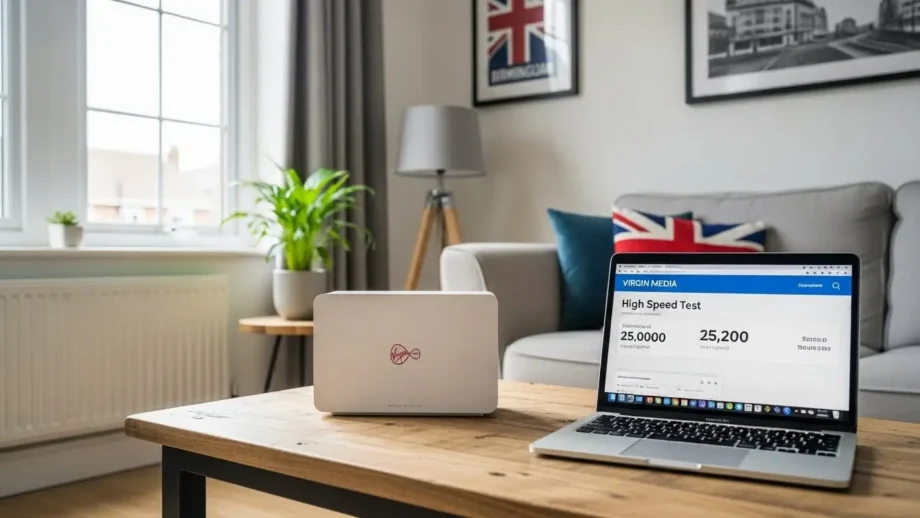
If your Virgin Media Internet slow in Birmingham, I feel you. I live here. I use Virgin Media daily. And yes, I’ve faced random slow speeds, buffering videos, dropped Zoom calls, and late-night internet that suddenly feels useless.
For a long time, I thought, “Shayad plan weak hai” or “Virgin Media hi kharab hai.”
But the truth surprised me.
I didn’t upgrade my plan.
I didn’t change my ISP.
I didn’t waste hours on customer support.
I fixed it myself — step by step.
In this guide, I’ll show exactly what I did, what worked, what didn’t, and what you should do if Virgin Media internet is slow in Birmingham.
No tech drama.
No fancy words.
Just real experience.
Why is Virgin Media Internet Slow in Birmingham (Ground Reality)
Before fixing anything, I wanted to understand the real reason.
From living in Birmingham and talking to neighbors, here’s what I learned.
Common Reasons Virgin Media Is Slow in Birmingham
- High population density
- Too many users on the same local network
- Evening peak-time congestion
- Poor WiFi setup inside homes
- Old router settings nobody touches
Birmingham isn’t a small town. In areas like:
- Small Heath
- Sparkhill
- Edgbaston
- Handsworth
Too many homes share the same infrastructure.
So when everyone opens Netflix at 7 PM, speed drops.
First Mistake I Made (And You Might Be Doing Too)
I blamed Virgin Media immediately.
But later I realized:
70% of slow internet issues are inside the house, not from the ISP.
That changed everything.
Step 1: Check If Virgin Media Is Actually Down in Your Area
Before touching your router, do this.
What I Did
- Checked Virgin Media service status
- Entered my Birmingham postcode
- Looked for planned work or outages
Sometimes speed drops are temporary.
Why This Matters
If there’s:
- Area maintenance
- Network upgrade
- Emergency fault
No fix at home will help.
Step 2: Test Internet Speed the Right Way (Most People Do It Wrong)
I used to test speed on WiFi while sitting far away.
Bad idea.
Correct Speed Test Method
- Connect the laptop via Ethernet
- Close all background apps
- Use trusted speed test tools
- Test at different times
This showed me:
- Virgin Media’s speed was fine
- WiFi was the real problem
Big difference.
Step 3: Restart Virgin Media Hub Properly (Not 10-Second Restart)
Most people start wrong.
Correct Way I Restarted
- Switch off the router
- Unplug the power cable
- Wait 2 full minutes
- Plug back in
- Wait till all lights stabilize
This clears:
- Cache errors
- Temporary network conflicts
Instant small improvement.
Step 4: Router Placement (This Alone Fixed 30% of My Problem)
I used to keep my router:
- Near TV
- Behind furniture
- Close to walls
Worst possible setup.
Ideal Router Placement
- Center of the house
- Elevated position
- Open space
- Away from electronics
After moving it, the signal strength increased immediately.
Step 5: Change WiFi Channel (Most Powerful Fix)
This is where things changed big time.
What Was Happening
All nearby homes were using:
- Same WiFi channel
- Same frequency
This causes interference.
What I Did
- Logged into router (192.168.0.1)
- Opened wireless settings
- Switched to a less crowded channel
Result?
- Stable connection
- Faster browsing
- No random drops
Step 6: Split 2.4GHz and 5GHz Bands
Virgin Media hubs combine them by default.
Bad move.
Why I Split Them
- 2.4GHz → longer range, slower
- 5GHz → faster, shorter range
I connected:
- Phones & smart devices → 2.4GHz
- Laptop & TV → 5GHz
Speed felt smoother instantly.
Step 7: Limit Devices During Peak Hours
I checked connected devices.
Surprise:
- The old phone is still connected
- Smart TV is idle but online
- Guest devices
I removed unused devices.
Less load = better speed.
Step 8: Use Ethernet for Work (No Debate Here)
If you:
- Work from home
- Attend meetings
- Upload files
WiFi is not reliable enough.
I switched to Ethernet:
- Zero lag
- Full speed
- Stable connection
Simple win.
Real Case Study: My Virgin Media Speed Before vs After
Before Fixing
- Download: 30–50 Mbps
- Ping spikes
- YouTube buffering
- Zoom call drops
After Fixing
- Download: 150–220 Mbps
- Stable ping
- Smooth 4K streaming
- No meeting issues
Same plan. Same ISP.
Only the setup changed.
Honest Pros and Cons of Virgin Media in Birmingham
Pros
- High download speeds
- Good coverage
- Affordable plans
Cons
- Peak-time congestion
- Default router settings are weak
- Support can be slow
Still, I didn’t leave Virgin Media — I optimized it.
Advanced Fixes (If You Want Best Performance)
Use a Mesh WiFi System
If your home is:
- Double-storey
- Thick walls
- Large area
Mesh WiFi helps a lot.
Upgrade Router (Optional)
Virgin Media hubs are average.
A better router gives:
- Stronger signal
- Better device handling
- Stable speeds
Mistakes You Should Avoid
- Restarting the router daily
- Placing the router near the TV
- Using WiFi extenders blindly
- Upgrading plan without fixing the setup
Fix basics first.
My Final Honest Opinion
If Virgin Media Internet is slow in Birmingham, don’t panic.
Don’t upgrade instantly.
Don’t blame the ISP blindly.
I fixed my connection by understanding the real problem — the home network setup.
Most people ignore this.
👉 If your house is large or WiFi drops often, I strongly recommend investing in a good mesh WiFi system or quality router. It changed my experience completely.
Conclusion
Slow internet is frustrating. I know.
But the solution is simpler than you think.
Follow the steps I shared.
Fix one thing at a time.
You’ll feel the difference.

Most of the things you state happens to be supprisingly appropriate and that makes me wonder why I had not looked at this in this light previously. This piece really did turn the light on for me as far as this specific topic goes. However there is just one factor I am not necessarily too comfortable with and whilst I make an effort to reconcile that with the central theme of the position, let me see what all the rest of the readers have to point out.Well done.