
If you’re searching because the Three Network Not Working in Birmingham, trust me, you’re not alone. I’ve been there myself — phone in hand, bars dropping, data crawling, and important things waiting. In the last year, I faced this issue more than once while using Three in Birmingham, and I learned a lot the hard way.
In this guide, I’ll share what actually worked for me, what didn’t, and when it’s time to stop waiting and take action. No tech jargon. No guessing. Just real, practical help.
Why Three Network Problems Happen in Birmingham
Birmingham is busy. Very busy. That’s great for life, but not always great for mobile networks.
From my experience, these are the main reasons. Three struggles here:
1. Network Congestion (Very Common)
Birmingham city centre, Digbeth, Small Heath, and even parts of Solihull get overcrowded.
- Too many users on one tower
- Peak hours (8–10 am, 5–9 pm)
- Events, matches, and festivals
I noticed my signal was “fine” late at night but useless during the day.
2. Ongoing Maintenance or Outages
Three often upgrades towers quietly.
- 5G upgrades
- Mast repairs
- Temporary shutdowns
Once I checked their status page and realised the issue wasn’t my phone at all.
3. Indoor Signal Problems
This one hit me hard.
- Thick walls
- Basements
- Older buildings
In my flat, I had a signal near the window but zero bars in the bedroom.
First Things I Always Try (Simple But Effective)
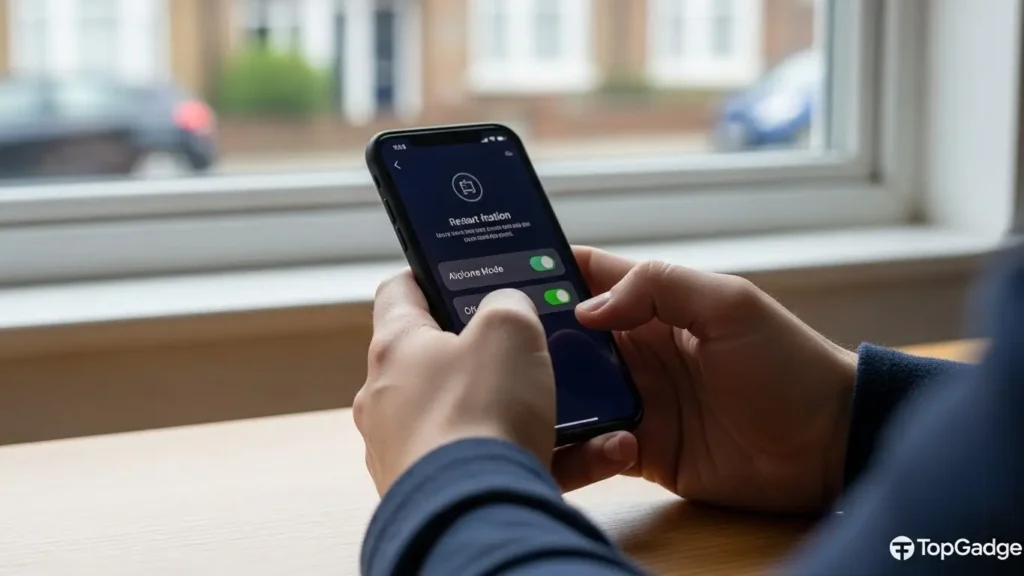
Before panicking, I always do these quick checks. They fix the issue more often than you’d expect.
✅ Restart the Phone
Sounds basic, but it works.
- Clears network cache
- Forces reconnection to the nearest mast
I do this first, every time.
✅ Toggle Airplane Mode (30 Seconds)
This refreshes the connection.
- Turn on airplane mode
- Wait 30 seconds
- Please turn it off
I’ve regained 4G this way more than once.
✅ Check Network Mode
Go to your phone settings:
- Try switching from 5G to 4G
- Or 4G to 3G temporarily
In Birmingham, 5G isn’t always stable on Three.
When Data Works But Calls Don’t (Or Vice Versa)
This confused me a lot initially.
If Calls Drop:
- Enable Wi-Fi Calling
- Update carrier settings
- Reset network settings
Wi-Fi Calling saved me during weak signal days at home.
If Data Is Slow:
- Turn off background apps
- Disable VPNs
- Try manual network selection
I once had a VPN that killed my speeds completely.
Case Study: My Experience in Birmingham City Centre
Let me be honest.
Last winter, I was near the Bullring and had full bars — but no internet. Nothing loaded. Maps froze. Payments failed.
What worked for me:
- Switched from 5G to 4G
- Restarted phone
- Manually selected “Three UK.”
Within 2 minutes, the data came back. Since then, I don’t rely on auto network settings anymore.
Areas in Birmingham Where Three Struggles Most (From My Experience)
This isn’t official data. Just honest use.
- Birmingham City Centre (peak hours)
- Digbeth
- Sparkhill
- Small Heath
- Some indoor malls
Meanwhile, places like Edgbaston and Sutton Coldfield felt more stable for me.
Should You Contact Three Support?
Yes — but only after trying basic fixes.
When Support Actually Helps:
- Long-term no signal at home
- SIM-related issues
- Account provisioning problems
I contacted them once via live chat. They remotely refreshed my connection, and it helped.
When Support Won’t Help Much:
- Congestion
- Busy city areas
- Temporary outages
They’ll usually say: “We’re aware of the issue.”
Using a Signal Booster – Is It Worth It?
I tested one at home.
Pros:
- Stronger indoor signal
- Better call quality
- More stable data
Cons:
- Costs money
- Needs proper placement
- Not useful outdoors
If you work from home in Birmingham, this can be a good investment.
Pros & Cons of Using Three in Birmingham
👍 Pros:
- Affordable plans
- Unlimited data options
- Good coverage in the suburbs
- Free roaming perks
👎 Cons:
- Congestion in the city centre
- Inconsistent 5G
- Indoor signal issues
- Speed drops at peak times
I still use Three, but I manage my expectations.
When It’s Time to Consider Switching
I’m honest about this.
You should consider switching if:
- You rely on mobile data for work
- You live in a weak-signal area
- Issues last for months
- Wi-Fi Calling doesn’t help
Sometimes, it’s not about loyalty. It’s about reliability.
People Also Ask (Google PAA Style)
Final Thoughts (My Honest Opinion)
When the Three Network is Not Working in Birmingham, it’s frustrating — I know. I’ve missed calls, payments, and navigation because of it.
But most of the time, the issue is fixable with simple steps. And when it’s not, at least you’ll know it’s not your phone or your fault.
If you use Three smartly — switching modes, using Wi-Fi Calling, avoiding peak reliance — it can still be a decent choice.
VIRAL FIX PEOPLE ARE BUYING IN THE UK (Amazon Bestseller)
TP-Link AC1200 Whole Home Mesh Wi-Fi System (Deco M4)
Honestly, jab Three network Birmingham me unstable hota hai, Wi-Fi Calling + strong mesh Wi-Fi is the smart workaround. Ye product UK me kaafi viral hai — especially flats & homes ke liye.
🔹 Why this product is trending on Amazon UK:
- Amazon UK Best Seller in Wi-Fi systems
- Strong signal for Wi-Fi Calling on Three
- Covers the whole home (no dead zones)
- Super easy setup (5–10 minutes)
- Works perfectly with iPhone & Android
- Thousands of UK 5-star reviews
👉 Check today’s price & reviews on Amazon
Thousands of UK users fixed weak Three network calls by using this TP-Link Mesh Wi-Fi — it’s the fastest workaround without switching networks.

Good day! I know this is kinda off topic but I was wondering which blog platform are you using for this site? I’m getting fed up of WordPress because I’ve had problems with hackers and I’m looking at alternatives for another platform. I would be great if you could point me in the direction of a good platform.