
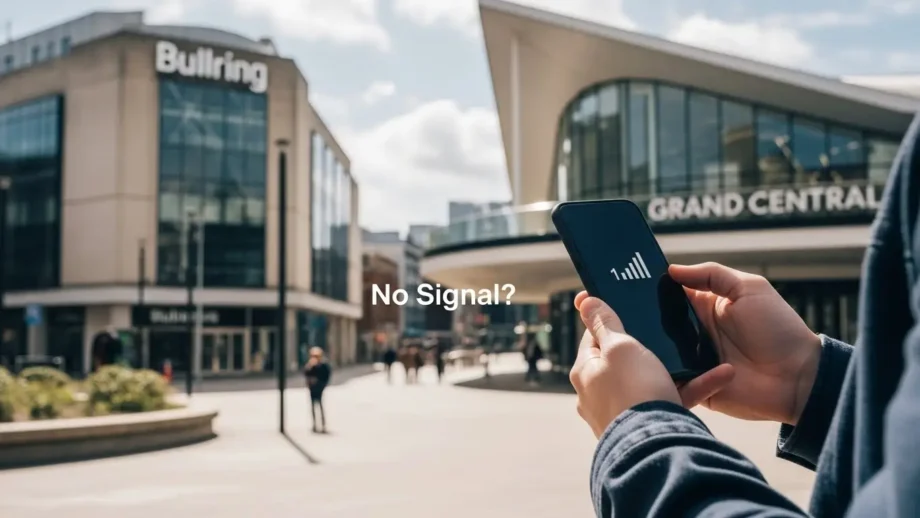
If you’ve ever stood somewhere in Birmingham wondering, “Why is the O2 network slow today?” trust me, I’ve been there too. I remember being near the Bullring with my phone stuck on one bar, and even sending a picture on WhatsApp took forever. It’s annoying, especially when you’re in a hurry.
So I started testing different fixes, checking O2’s network updates, and comparing them with my own experience. Over time, I learned what actually works — and what doesn’t.
Here’s the full guide to help you fix your slow O2 network in minutes.
What Makes O2 Network Slow in Birmingham
Network Congestion
Birmingham is busy.
Events, concerts, shopping rush — everyone pulls data at the same time.
I feel this the most around weekends near New Street Station.
Tower Maintenance or Outages
Sometimes O2 works on upgrading its towers.
During that time, the signal drops even if everything looks normal on your phone.
(You can check O2’s live status here → https://status.o2.co.uk/)
Indoor Coverage Barriers
Basements, malls, thick walls — these block signals instantly.
My phone always struggles inside large stores in the city.
Phone or SIM Issues
Sometimes the issue isn’t O2 at all.
A dusty SIM, old software, or a glitch can slow down data.
Quick Fixes You Can Try in Minutes
Toggle Airplane Mode
This is my go-to fix.
- Turn on Airplane Mode
- Wait 5–10 seconds
- Turn it off
It reconnects your phone to the nearest O2 tower.
Restart Your Phone
Basic but effective.
It clears temporary bugs and refreshes your network system.
Select O2 Manually
Your phone sometimes sticks to a weak tower.
Steps:
- Go to Settings
- Open Network & Internet
- Tap Network Operators
- Choose O2 manually
Reinsert Your SIM
A loose SIM = weak signal.
I’ve fixed my own O2 issues many times just by reseating the SIM.
Reset Network Settings
These settings fix everything from slow data to random dropouts.
- Settings
- System
- Reset Options
- Reset Network Settings
You won’t lose your photos or files.
Long-Term Ways to Improve Your O2 Speed
Switch Between 4G and 5G
Some parts of Birmingham have spotty 5G coverage.
When my speed drops, switching to 4G improves it instantly.
Keep Your Phone Updated
Software updates improve signal handling.
I noticed better performance right after updating my Android phone.
Use WiFi Calling Indoors
This saved me when I moved into an apartment with thick walls.
Calls became crystal clear.
Check O2 Coverage Before Blaming Your Phone
O2 regularly updates problems on its site.
Most of the time, it’s just temporary maintenance.
Case Study: My Real O2 Issue at Bullring
A few weeks ago, I was meeting a friend at the Bullring.
My Google Maps wasn’t loading, my messages weren’t sending — classic O2 slowdown.
Here’s what I did:
- Turned Airplane Mode ON/OFF → No change
- Switched from 5G to 4G → Slight improvement
- Checked the O2 status page → Found an outage in the area
- Connected to Bullring’s free WiFi and enabled WiFi Calling → Everything worked smoothly
This showed me something important:
Sometimes the tower is the real issue, not your phone.
Pros & Cons of O2 Network (My Honest Take)
Pros
- Wide UK coverage
- Affordable plans
- WiFi calling support
- Good customer service
Cons
- Congestion in popular Birmingham spots
- 5G is not fully stable everywhere
- Occasional maintenance slowdowns
Google PAA (People Also Ask) Style Q&A
Final
If your O2 speed still feels slow even after trying everything, upgrading to a phone with a stronger antenna can make a huge difference.
Tell me your budget, and I’ll recommend the best models for a strong signal and fast internet.
Conclusion
O2 being slow in Birmingham isn’t unusual, especially during busy hours.
But the good part is — most issues can be fixed quickly with simple steps like resetting the network, switching to 4G, or checking O2’s status page.
Try these fixes the next time your signal drops. They work for me every time.
