30-Second Verdict
| My rating | 8.7/10 |
| Amazon UK rating | 4.2/5 (700+ reviews) |
| Price | ~£220-250 |
| No drilling? | ✅ Yes — fits Euro cylinder |
| Face recognition? | ✅ Yes — 3D structured light |
| Fingerprint? | ✅ Yes |
| Matter support? | ✅ Yes (with Hub Mini) |
| Triple power backup | ✅ Main + backup + supercapacitor |
| Best for | UK renters who want face recognition, hands-free unlock |
| Not for | People who don’t want face data stored locally |
Is the SwitchBot lock good? Yes. I tested the Ultra in my London flat for 2 months. This SwitchBot Smart Lock Ultra Review UK tells you why face recognition is the future of keyless entry.
Why I Wrote This SwitchBot Smart Lock Ultra Review UK
I live in a rented flat in London. I lost my keys three times in one month. A locksmith charged me £120. My landlord was annoyed.
I wanted a smart lock that could unlock without me doing anything. No keys. No fingerprint. No tapping phone.
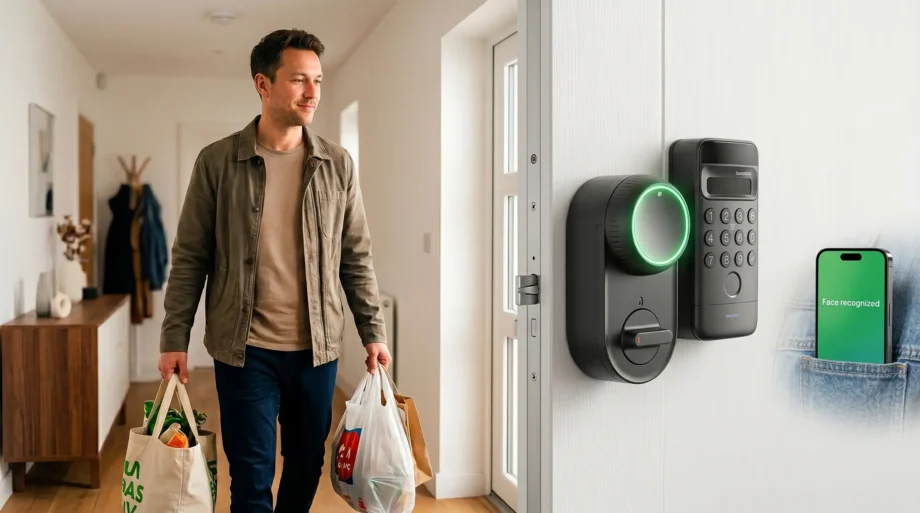
The SwitchBot Smart Lock Ultra has face recognition. You walk up to your door. It sees your face. The door unlocks. Hands full? No problem. Raining? No problem.
I installed it on my front door. I have been using it for 2 months. Here is my honest SwitchBot Smart Lock Ultra Review UK.
What Is SwitchBot?
Is SwitchBot a Chinese company? Yes. SwitchBot is a Chinese smart home brand. They make smart locks, robots, and home automation products. They are popular worldwide.
Is SwitchBot a Japanese company? No. Some people think it’s Japanese because of the name, but it’s Chinese.
Is SwitchBot safe? Yes. Face data is stored locally on the lock. Never uploaded to the cloud. Bank-grade encryption.
How good is SwitchBot? In my experience, very good. The face recognition works 9 out of 10 times. Build quality is solid. App is clean.
Who Is This Lock For?
| If you are… | Is this lock for you? |
|---|---|
| UK renter in a flat | ✅ Yes — no drilling, removable |
| Landlord | ✅ Yes — you keep your master key |
| Person with full hands (groceries, kids) | ✅ Yes — face recognition, hands-free |
| A person who wants a fingerprint | ✅ Yes — fingerprint sensor included |
| Smart home user | ✅ Yes — Matter support |
| Person on tight budget | ❌ No — get LOCKSTAR (£174) |
This SwitchBot Smart Lock Ultra Review UK is for renters who want hands-free face recognition.
What’s in the Box?
| Item | Description |
|---|---|
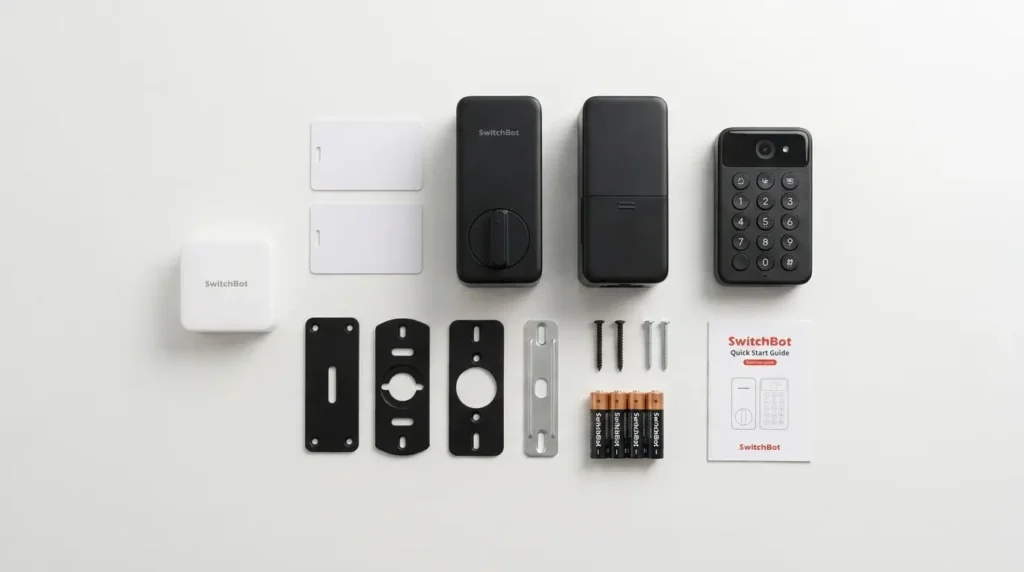
| SwitchBot Smart Lock Ultra | Main lock unit |
| Keypad Vision | Face recognition + keypad |
| Hub Mini | Matter bridge |
| Wallet Finder Cards (2) | Apple Find My trackers |
| Mounting kit | Fits Euro cylinders |
| Batteries | Main + backup included |
| Screws and fittings | For installation |
Note: The Hub Mini is included for Matter support. You also get two Apple Find My tracker cards — useful for keys, bags, or wallets.
Installation — Can a UK Renter Do It?
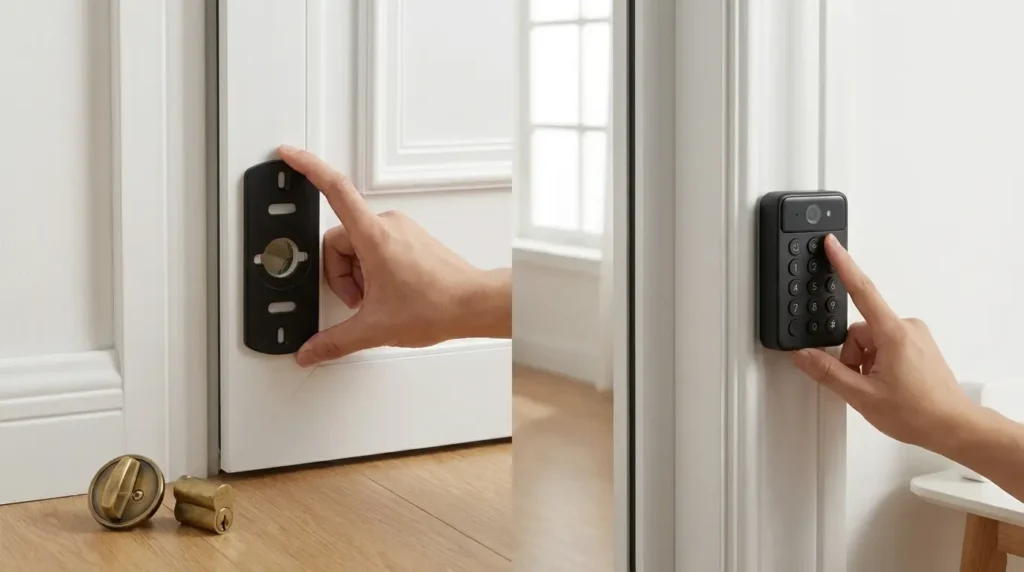
Yes. No drilling. 10 minutes.
Here’s how:
| Step | What to Do |
|---|---|
| 1 | Remove existing thumb turn (inside of door) — keep it safe |
| 2 | Attach the mounting plate (no drilling needed) |
| 3 | Fit the SwitchBot lock onto the mounting plate |
| 4 | Install Keypad Vision on the door frame (adhesive or screws) |
| 5 | Connect Hub Mini to your router (Ethernet or Wi-Fi) |
| 6 | Download the SwitchBot app, create an account, and add a lock |
| 7 | Set up face recognition, fingerprint, and Matter |
How to remove the SwitchBot lock ultra? When you move out, remove the lock (2 minutes), and put the old thumb turn back. Your deposit is safe. Your landlord will never know.
Face Recognition — The Main Feature
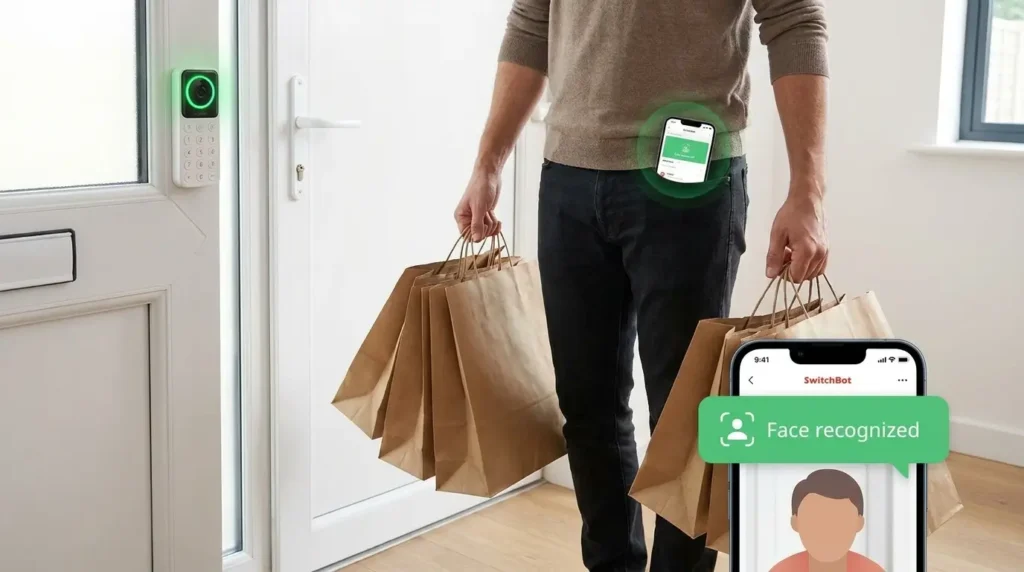
The SwitchBot Smart Lock Ultra has 3D structured light face recognition. This is the same technology used in iPhones for Face ID.
How it works:
- Lock scans your face using 3D structured light
- False recognition rate: less than 0.0001%
- Works in low light, rain, and even when you have a hat or glasses
- Range: 0.6 to 0.9 meters (about 2-3 feet)
- Height coverage: 1.2 to 2 meters (fits most people)
Does it work? Yes, 9 out of 10 times. Sometimes I had to lean a bit closer. But for daily use, it’s reliable.
Privacy: Face data is stored locally on the lock. Never uploaded to the cloud. No one can access your face data.
Fingerprint Sensor
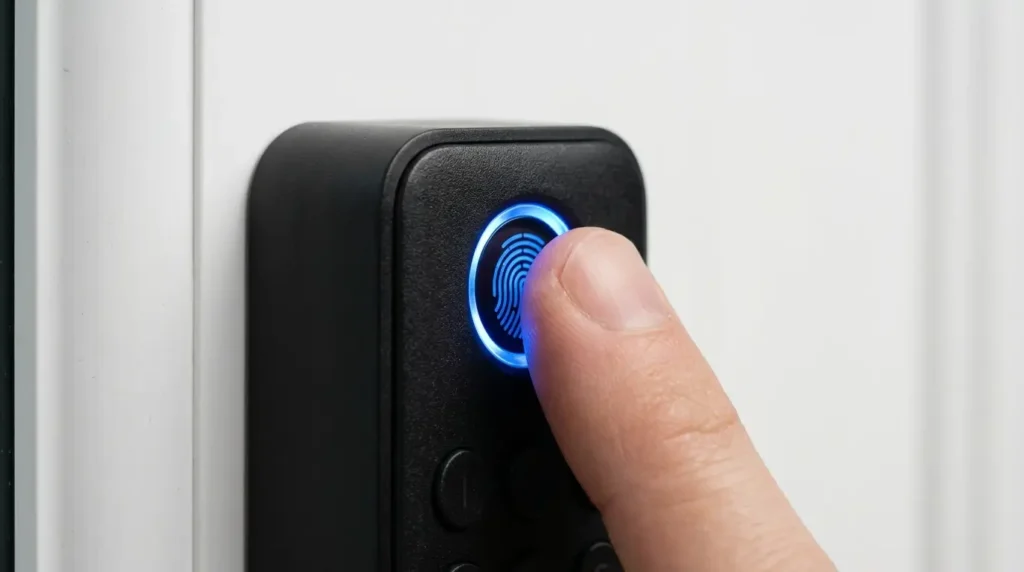
The Keypad Vision also has a fingerprint sensor.
How fast? Under 1 second. Same as phone fingerprint sensors.
Accuracy: 9 out of 10 times. Wet or dirty fingers fail sometimes.
How many fingerprints? Up to 100 fingerprints. Enough for family, friends, and guests.
Keypad — Backup Access
The Keypad Vision has a backlit keypad for entering codes.
Why you need it:
- If face recognition fails
- If the fingerprint fails
- If you want to give guest access
Anti-peep technology: You can enter random digits before your code — someone watching won’t know your real code.
Triple Power Protection — This Is Important
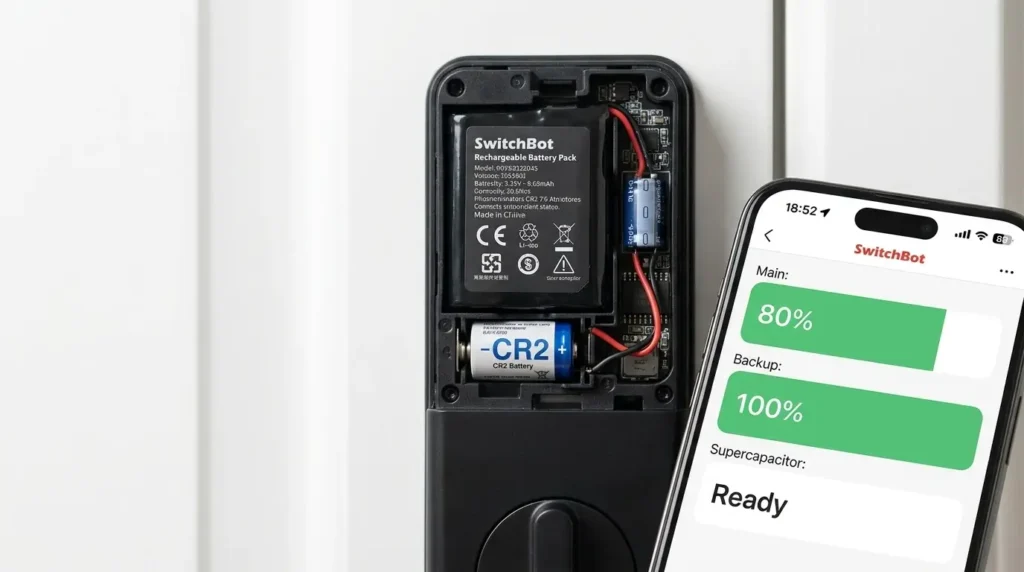
The SwitchBot Smart Lock Ultra has triple power protection:
| Power Source | Duration |
|---|---|
| Main battery | 9 months |
| Backup battery | Takes over when the main dies |
| Supercapacitor | Emergency unlock if both batteries die |
What happens if both batteries die? You can still unlock using emergency microcurrent power (a power bank or 9V battery).
Does SwitchBot work without internet? Yes. Face recognition, fingerprint, and keypad still work. Only remote app access needs the internet.
Matter Support — Why This Matters
The SwitchBot Smart Lock Ultra has Matter support (with the Hub Mini). This means it works with Apple Home, Amazon Alexa, Google Home, and Samsung SmartThings — all at the same time.
What you can do:
- “Hey Siri, unlock the front door”
- “Alexa, is the front door locked?“
- Create automations — door locks when you leave home, lights turn off
- Geofencing with other Matter devices
Which devices work with SwitchBot? Apple Home, Alexa, Google, SmartThings, IFTTT, and Home Assistant.
Wallet Finder Cards — Bonus
The bundle includes two Wallet Finder Cards. These are Apple Find My trackers — like an AirTag but flat.
Features:
- Works with Apple Find My (iOS only)
- Up to 3-year battery life
- IP67 waterproof
- 78dB sound alert
- NFC function even when the battery dies
How to use: Put one in your wallet. Put one in your bag. If you lose them, use Apple Find My to locate them.
Nuki vs Aqara vs SwitchBot vs ULTRALOQ — Comparison Table
| Feature | SwitchBot Ultra | Nuki Pro | Aqara U200 | ULTRALOQ |
|---|---|---|---|---|
| Price | ~£220 | £244 | £280 | £148 |
| No drilling | ✅ | ✅ | ✅ | ✅ |
| Face recognition | ✅ | ❌ | ❌ | ❌ |
| Fingerprint | ✅ | ❌ (add-on) | ✅ | ✅ |
| Matter support | ✅ | ✅ | ✅ | ❌ |
| Triple power backup | ✅ | ❌ | ❌ | ❌ |
| Apple Find My trackers | ✅ (2 cards) | ❌ | ❌ | ❌ |
| Best for | Face recognition | Auto-unlock | Apple Home Key | Budget fingerprint |
For most UK renters, the SwitchBot Smart Lock Ultra is best if you want face recognition. For budget, get ULTRALOQ. For Apple Home Key, get Aqara U200.
Pros and Cons — Honest List
What I Liked (Pros)
- Face recognition works well — Hands-free. Works in low light. 0.0001% false recognition.
- No drilling — Fits Euro cylinder. Removable. Deposit safe.
- Triple power backup — Main battery + backup + supercapacitor. Never locked out.
- Matter support — Works with Apple, Alexa, Google, SmartThings.
- Fingerprint + keypad — Multiple backup options.
- Wallet Finder Cards included — Two Apple Find My trackers. Bonus value.
- Local face data storage — Privacy safe. No cloud upload.
- No subscription — One-time purchase.
- All-metal build — Solid, premium feel.
What I Did Not Like (Cons)
- Expensive — ~£220 vs ULTRALOQ £148.
- Face recognition range limited to 0.6 to 0.9 meters. You need to be close.
- Apple Find My trackers only work with iPhones — Android users can’t use them.
- App setup takes time — Multiple steps: lock, keypad, hub, trackers.
- Keypad is visible from outside — Landlord might notice (ask first if strict).
- Face recognition can fail — Not 100% reliable. Backup options exist.
UK Renters — Should You Buy This Lock?
This SwitchBot Smart Lock Ultra Review UK is for renters who want hands-free face recognition.
| If you want to secure… | Verdict |
|---|---|
| Front door (strict landlord) | ✅ Yes — no drilling, original key works |
| Front door (lenient landlord) | ✅ Yes — or get Nuki |
| Hands-free unlock | ✅ Yes — face recognition is the best |
| Smart home integration | ✅ Yes — Matter support |
| Budget option | ❌ No — get ULTRALOQ |
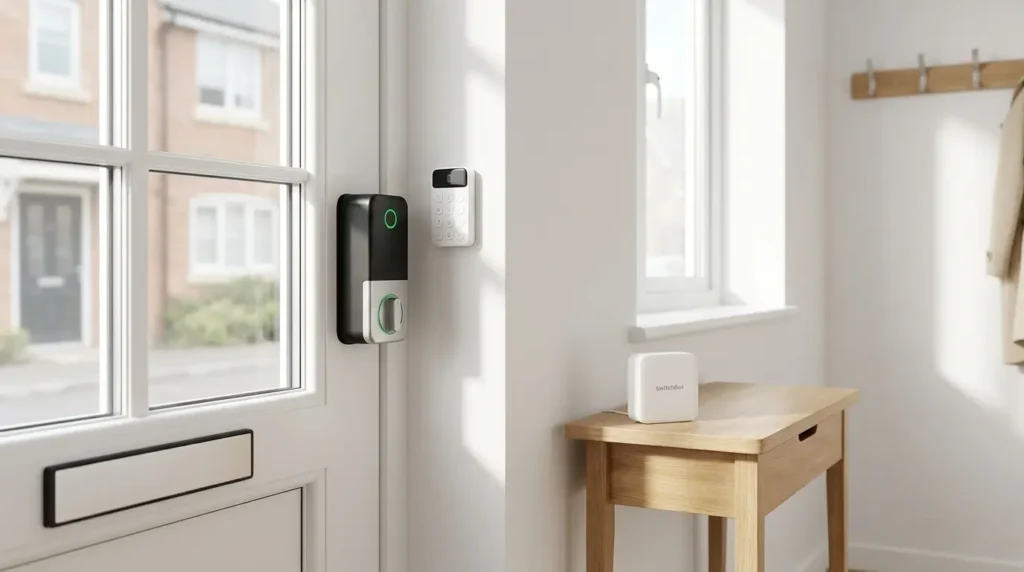
Landlord-friendly? Yes. No drilling. No permanent changes. Outside looks the same. The original key still works.
Will your landlord know? The Keypad Vision is visible from outside. If your landlord is strict, ask first. Or install it on an internal door.
Deposit safe? Yes, 2-minute removal. The original thumb turn goes back.
Frequently Asked Questions — UK Renters
Is the SwitchBot lock good?
Is the SwitchBot lock good? Yes. 4.2 stars on Amazon UK. Face recognition, fingerprint, Matter support. Solid build. Reliable.
Is SwitchBot a Chinese company?
Is SwitchBot a Chinese company? Yes. SwitchBot is a Chinese smart home brand. They are popular worldwide.
Does SwitchBot work without internet?
Does SwitchBot work without internet? Yes. Face recognition, fingerprint, and keypad still work. Only remote app access needs the internet.
How to remove the SwitchBot lock ultra?
How to remove the SwitchBot lock ultra? Remove the lock from the mounting plate (2 minutes). Put the old thumb turn back. Your deposit is safe.
What locks do police recommend?
What locks do police recommend? For physical security, the police recommend BS3621-compliant locks. SwitchBot works WITH your existing deadbolt — it doesn’t replace it.
Do smart locks deter burglars?
Do smart locks deter burglars? Yes. Tamper alarms, unlock logs, and a visible keypad — make your home less attractive.
Can a smart lock be hacked?
Can a smart lock be hacked? Very unlikely. SwitchBot uses bank-grade encryption. Face data is stored locally, not in the cloud.
What are the disadvantages of smart locks?
What are the disadvantages of smart locks? Battery changes, higher upfront cost, potential tech issues. SwitchBot specifically: face recognition range is limited.
Does SwitchBot have a subscription?
Does SwitchBot have a subscription? No. One-time purchase. No monthly fees.
How long does the SwitchBot lock battery last?
How long does the SwitchBot lock battery last? 9 months (main battery). Backup battery takes over—supercapacitor for emergencies.
Final Verdict — Worth Buying or Not?
After 2 months of using this lock on my London flat’s front door, here is my honest SwitchBot Smart Lock Ultra Review UK bottom line.
Score: 8.7 out of 10
Why 8.7 and not higher?
- Expensive (-0.5)
- Face recognition range limited (-0.3)
- Keypad visible from outside (-0.3)
- Apple Find My trackers only work with iPhone (-0.2)
Why is 8.7 still great?
- Face recognition works well — hands-free
- Triple power backup — never locked out
- Matter support — works with all platforms
- No drilling — landlord friendly
- Fingerprint + keypad backup
- No subscription
- Bonus Wallet Finder Cards included
Would I buy it again? Yes, for the face recognition.
Would I recommend it to another UK renter? Yes, especially if you want hands-free face recognition. If you don’t care about face recognition, get Nuki or ULTRALOQ.
Where to Buy in the UK
Amazon UK is the best place to buy:
| Detail | Info |
|---|---|
| Price | ~£220-250 |
| Rating | 4.2/5 (700+ reviews) |
| Bundle includes | SwitchBot Smart Lock Ultra + Keypad Vision + Hub Mini + 2 Wallet Finder Cards |
| Note | Optional adapter kit sold separately for non-standard locks |
Disclaimer: I paid for this lock with my own money. No free product. No sponsored content. This SwitchBot Smart Lock Ultra Review UK is just an honest experience from one UK renter to another.
Last updated: June 2026. Prices subject to change. Check Amazon UK for current pricing.
